

Generate App Store Preview Videos
in 5 Minutes
Drop your iPhone or iPad screen recordings. Get ready-to-upload App Store preview video. No more fighting iMovie.
14-day money-back guarantee
The old way is a headache.
Without SwiftShip Previews
- Record your screen
- Open iMovie, fight aspect ratios
- Export, get rejected by Apple
- Try different settings, repeat
- Give up, launch without preview video
With SwiftShip Previews
- Record your screen
- Drop into SwiftShip Previews
- Tweak it
- Click export
- Done in 5 minutes
2 hours of frustration vs 5 minutes of dropping clips.
Everything you need. Nothing you don't.
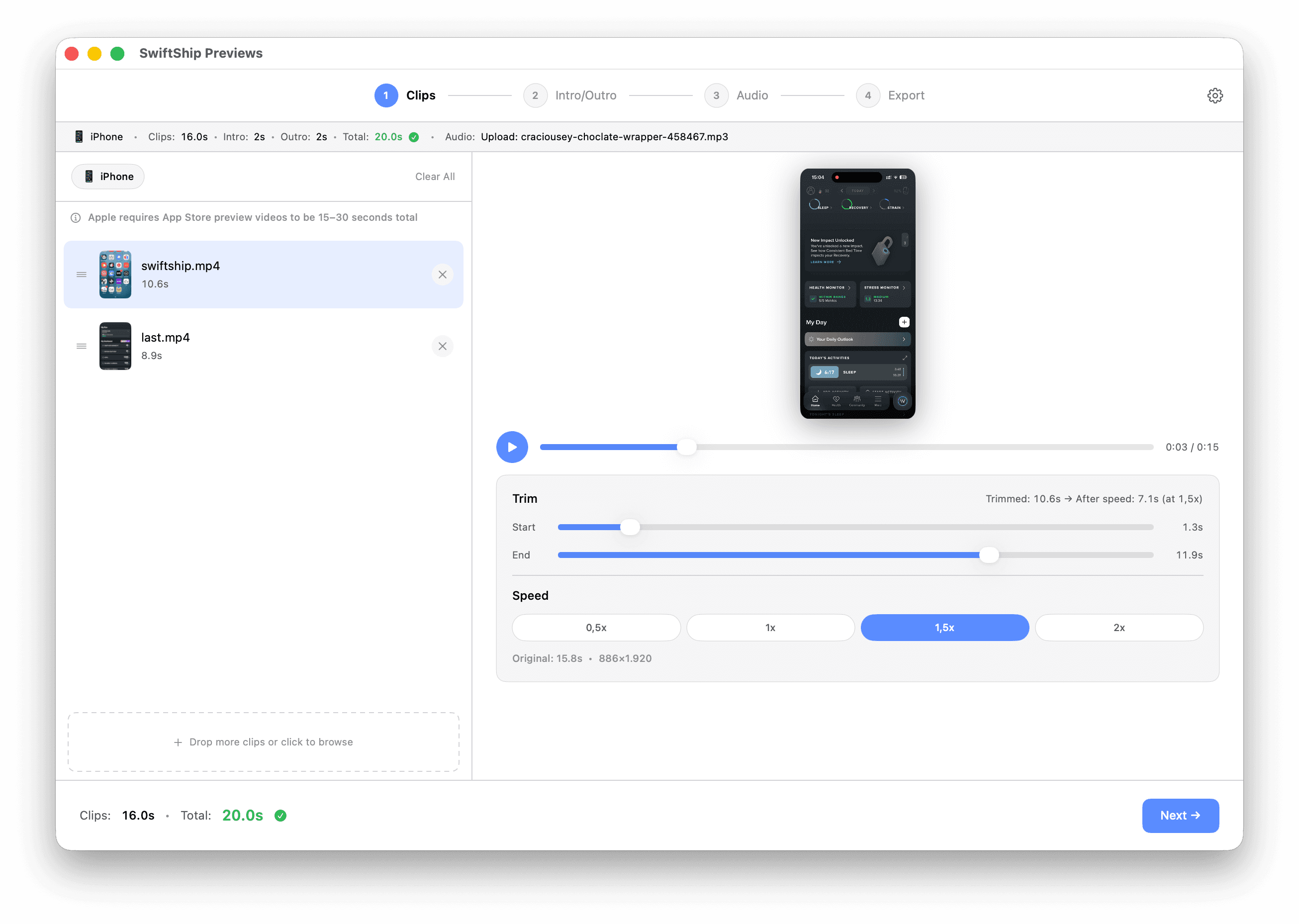
Built for indie iOS makers who ship fast.
Built for shipping. Not for editing.
Apple-compliant exports
Outputs videos that App Store Connect accepts on the first try.
Trim, reorder, speed
Refine your clips with simple controls. No timeline editor needed.
Intro and outro
Add your logo and a tagline at the start or end. Optional.
Background music
Pick from the built-in library or upload your own.
Your videos stay on your Mac
SwiftShip Previews runs entirely on your Mac. No uploads, no servers, no third parties. Your screen recordings never leave your device.
Pay once. Use forever.
One-time payment
- All features included
- 1 year of updates
- Single Mac License
- 14-day money-back guarantee
Launch price ending soon.
Frequently Asked Questions
Drop your iPhone or iPad screen recordings, trim and reorder, optionally add intro/outro and audio, then export. The output is ready to upload to App Store Connect.
SwiftShip Previews accepts screen recordings from all modern iPhones and most iPads to create App Store preview videos. Best results come from recordings made on a device with a 4:3 screen (iPad Pro 12.9", iPad Air 9.7"/10.5"/13", standard iPads). Recordings from other iPads may show a small crop. iPad mini recordings are not currently supported.
SwiftShip Previews exports videos that match Apple's App Preview specifications: resolution, codec, bitrate, frame rate, color space. App Store Connect will accept the file format. Apple may still reject your video for content reasons under their App Review Guidelines (e.g., misleading content, third-party trademarks).
Nothing is wrong with the export. App Store Connect's preview processing pipeline is sometimes slow or stuck due to Apple-side server load. This is a well-documented issue affecting all video tools, including iMovie. If your preview is stuck for more than 1 hour, delete it and re-upload. It usually works on the second or third attempt.
macOS 13 (Ventura) or later.
Each license activates on one Mac at a time. To move to a new Mac, deactivate the license in Settings, then activate on the new one. To use on multiple Macs simultaneously, you'll need to purchase additional licenses.
We offer a 14-day money-back guarantee. Email ayoub@swiftship.dev with your order details and we'll process a full refund.
Yes, one year of updates is included. After that, the app keeps working, you just won't get new updates unless you renew.